NexGen BSI Engage is our secure, client-facing inventory management portal designed to give you full visibility and control over your stored biospecimens.
NexGen BSI Engage
Through NexGen BSI Engage, you can:
- View real-time inventory of all stored samples
- Track sample location and status within our biorepository
- Generate and export reports for internal tracking and study management
- Create requisitions for sample retrieval or bio-service requests
- Submit inbound shipment requests directly through the platform
- Monitor complete chain of custody, ensuring transparency and traceability throughout storage, handling, and distribution
Built with data security and regulatory compliance in mind, BSI Engage supports audit readiness and aligns with CAP-accredited biorepository standards, helping ensure the integrity, traceability, and confidentiality of your materials and associated data.
To request user access to NexGen BSI Engage, please download and complete the PDF form and return to .
Requesting Access
If your organization requires access to NexGen BSI Engage:
- Download the Access & Permission Request Form.
- Complete the form, listing all team members who require access and specifying their level of permission.
- The request must be submitted and signed by an Official Authorized Representative of your organization.
- Submit the completed and signed form to our team for processing at .
Account Setup & Notification
Once our administrator receives the completed and authorized Access & Permission Request Form:
- A client profile will be created in NexGen BSI Engage
- User accounts will be established based on the approved access levels
- The designated point of contact listed on the form will be notified once access is activated
- A list of usernames and temporary passwords will be provided for secure distribution
Submitting Requisitions
A requisition is the formal method used to request work on specimens stored within your inventory. Submitted through NexGen BSI Engage, requisitions serve as documented work orders that allow all requested activities to be tracked from initiation through completion.
Requisitions may be used to request services such as:
- Specimen processing
- Aliquoting
- Relabeling
- Return to inventory
- Destruction
- Inventory auditing
- Outbound Shipments
- Other services as needed
Each requisition is assigned a status within the system, allowing you to:
- Monitor progress in real time
- Track where the request is within the workflow
- Maintain full visibility and documentation of work performed
This structured process supports traceability, chain of custody documentation, and regulatory compliance while ensuring clear communication throughout the lifecycle of your request.
Creating a Requisition
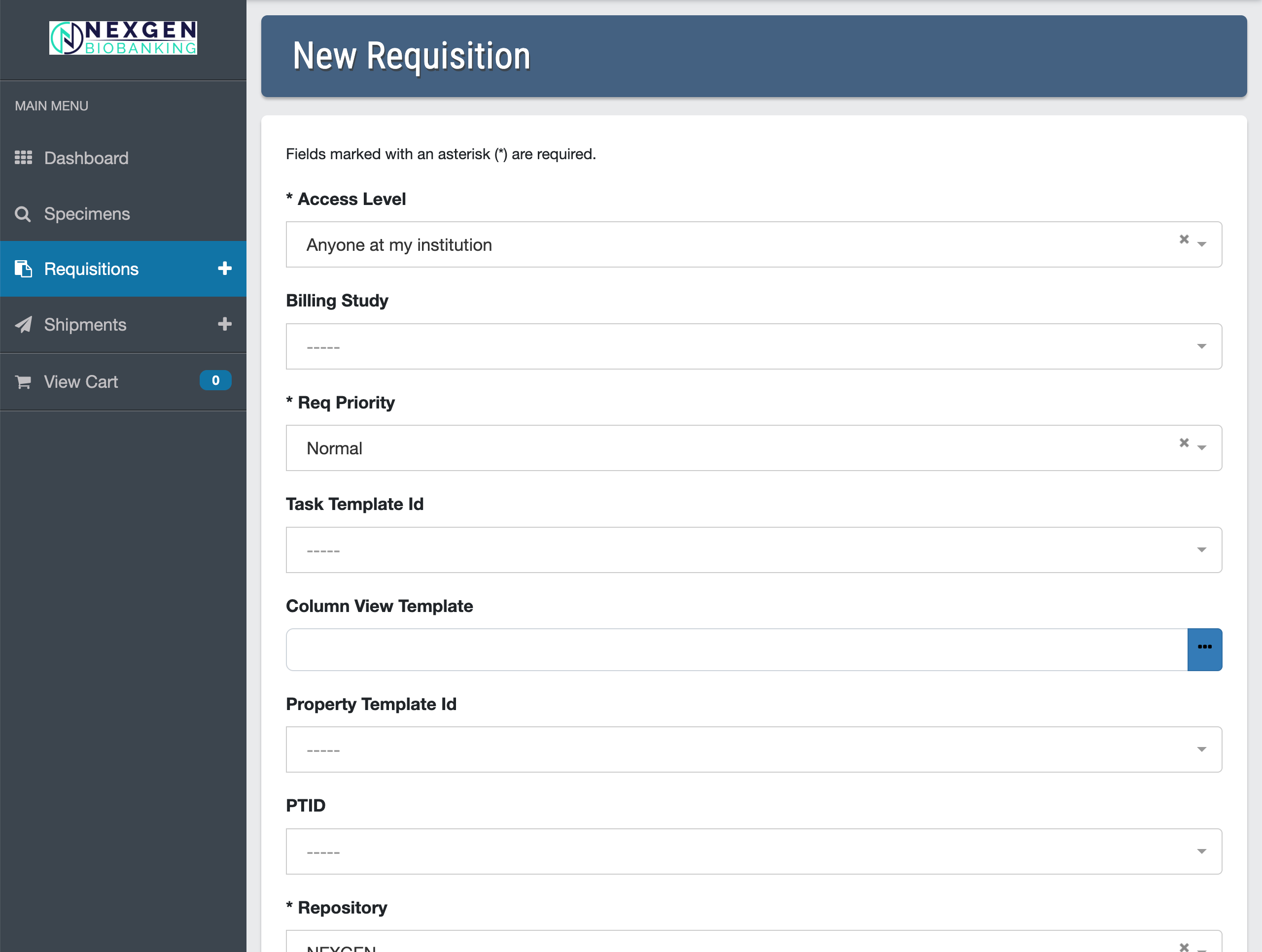
After logging into NexGen BSI Engage, select the Specimen Search button on the left side menu and add specimens to your cart, then select the New Requisition (+) button on the left side menu and follow the prompts.
- Users must have permissions to submit requisitions in BSI.
- Visit the NexGen BSI Support page.
Creating a Shipment
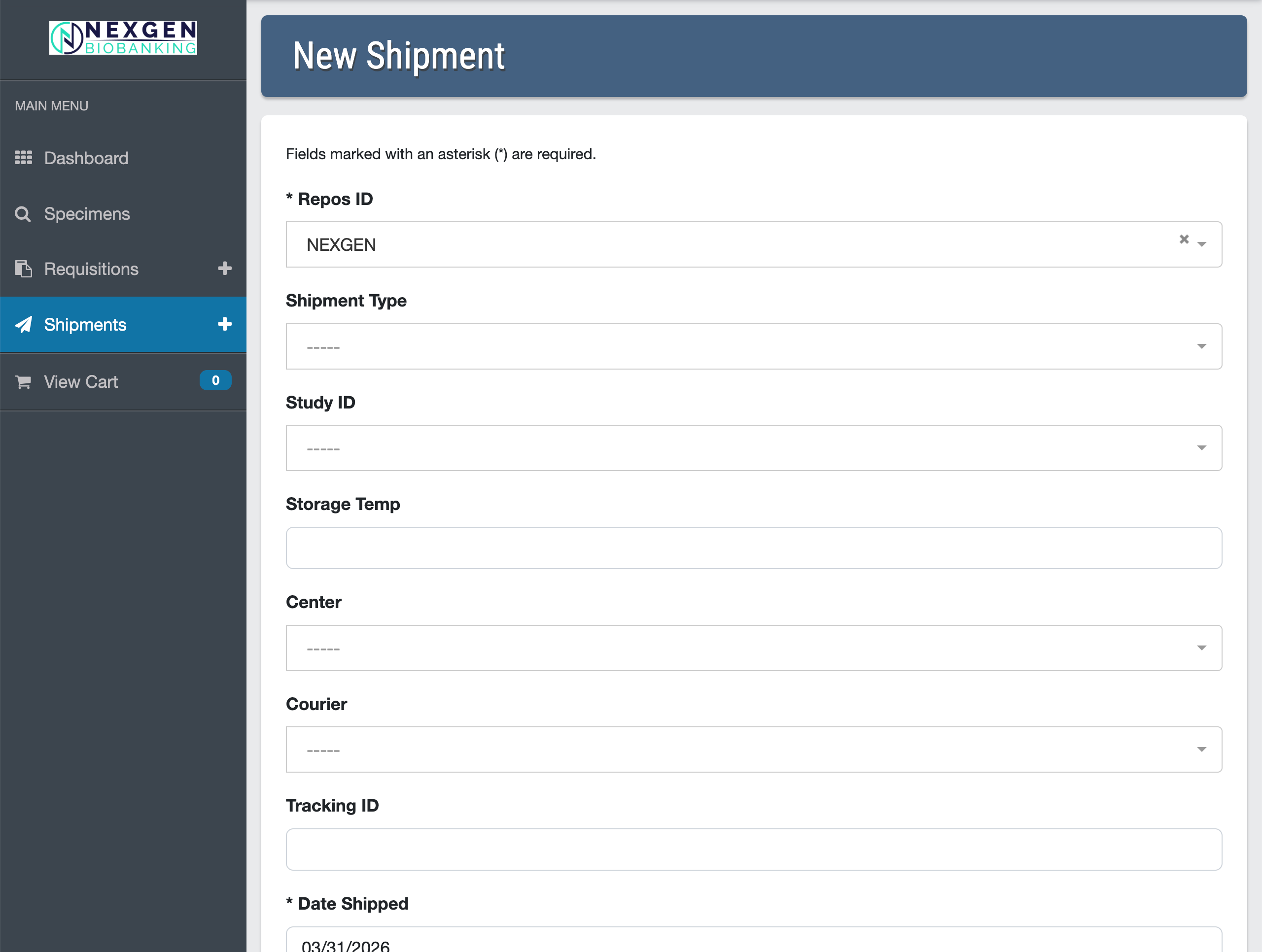
To create a new inbound shipment, select the Shipments (+) button on the left side menu and follow the prompts.
- This module allows users to create, view, edit, or delete shipments.
- Users must have permissions to submit shipments in BSI.
- Visit the NexGen BSI Support page.
User Support
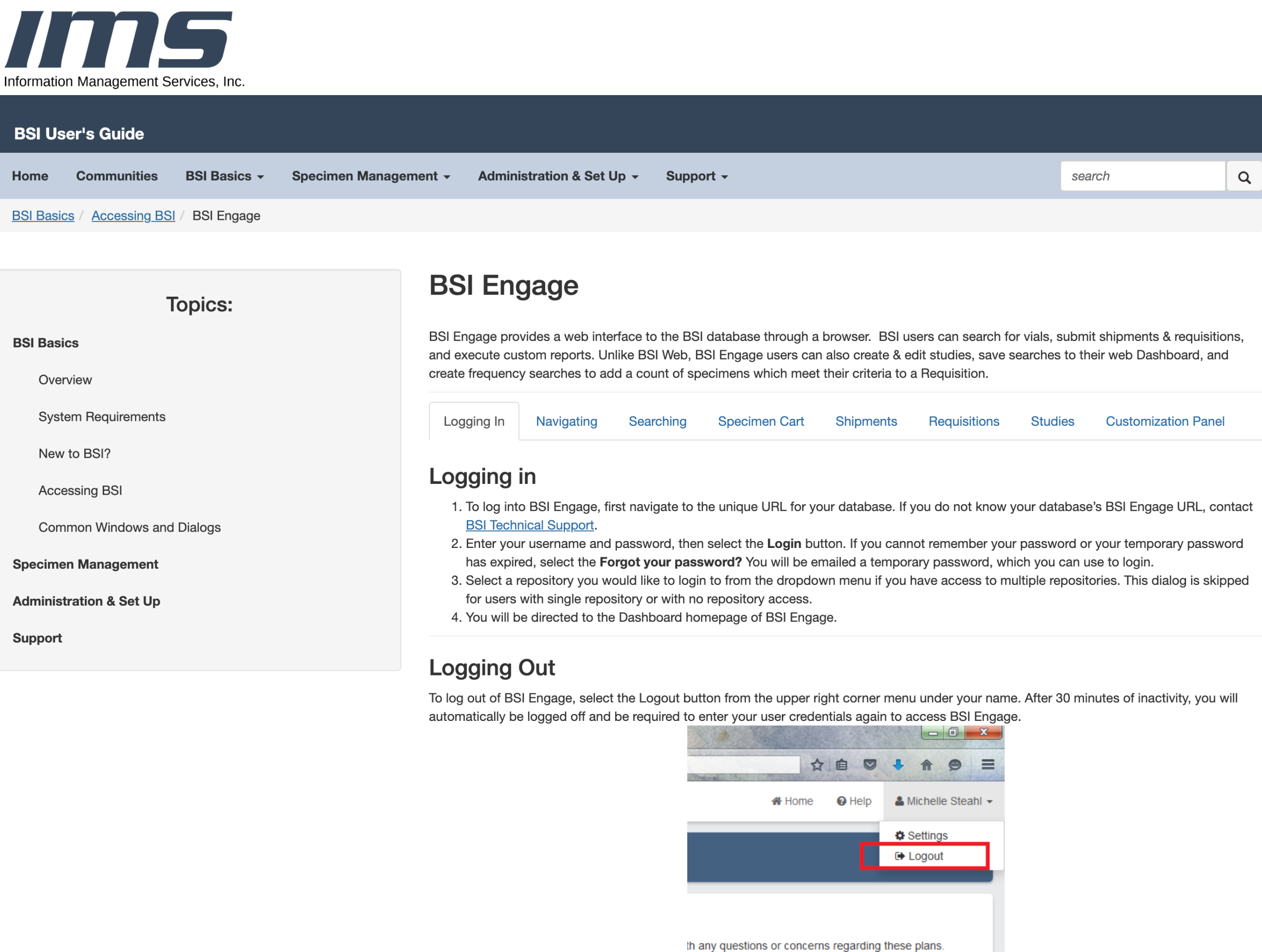
IMS provides technical support for the system on an as-needed basis. To contact technical support, use one of the following methods:
- Email your question to
- Reach out to NexGen directly at
- Call NexGen at 770-674-6770
